

Why RoboScope?
Closing the gap between Robot Framework and the team
Anyone who has ever tried to get a team without deep command-line experience excited about Robot Framework knows the pattern: The syntax is understandable, the keyword idea makes sense—but then comes the setup. Cloning Git, creating a virtual environment, installing dependencies, running tests via the terminal, finding and opening output files.
This is where the colleagues who actually have the best testing ideas drop out.
Robot Framework has everything it needs to be used by less technically savvy users. Its keyword-driven architecture is perfectly suited for this. However, the surrounding tooling does require a certain level of comfort with the terminal.
RoboScope fills exactly this gap: A web interface through which the entire team — from subject matter testers to product owners — can manage, execute and evaluate tests without opening the terminal.
For the whole team
QA engineers, domain experts, and product owner can create and run tests directly in the browser — no command line required.
⚡
Quick feedback
Run tests, track progress live, and see results instantly — no need to set up a CI pipeline first.
🏠
Self-Hosted & Offline
Everything runs on your computer or server. No cloud account, no vendor lock-in, no data shared with third parties.
Everything you need
Robot Framework test management in a modern web interface
🚀
Test execution
Subprocess or Docker, live WebSocket updates, cron scheduling — start and monitor tests directly from the browser.
📁
Project & Git Management
Clone repositories, switch branches, and synchronize automatically. Integrated code explorer with robot parser and CodeMirror editor.
🐍
Environment Management
Create and manage Python environments with uv. Install packages, perform library checks, all in one place.
📊
Reports & In-Depth Analysis
Automatically parse output.xml. Identify trends, detect flaky tests, and perform in-depth analysis of 15 KPIs across 5 categories.
🤖
AI error analysis
LLM-supported root cause analysis and .roboscope → .robot generation. OpenAI, Anthropic, OpenRouter or Ollama.
🔒
Roles & Access
RBAC with four levels: Viewer, Runner, Editor, Admin. JWT authentication, multi-user ready.
RoboScope in action
Click on a tab to see the different sections.
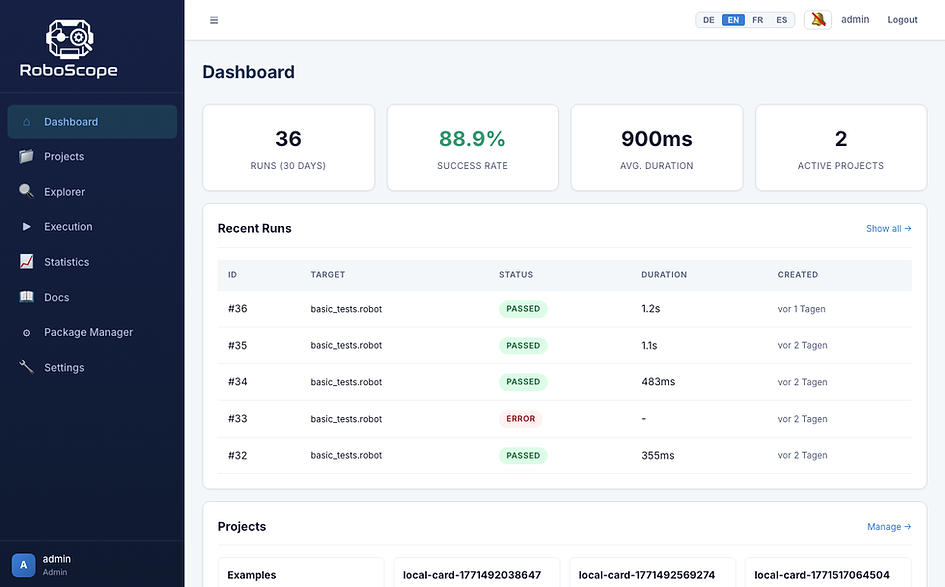


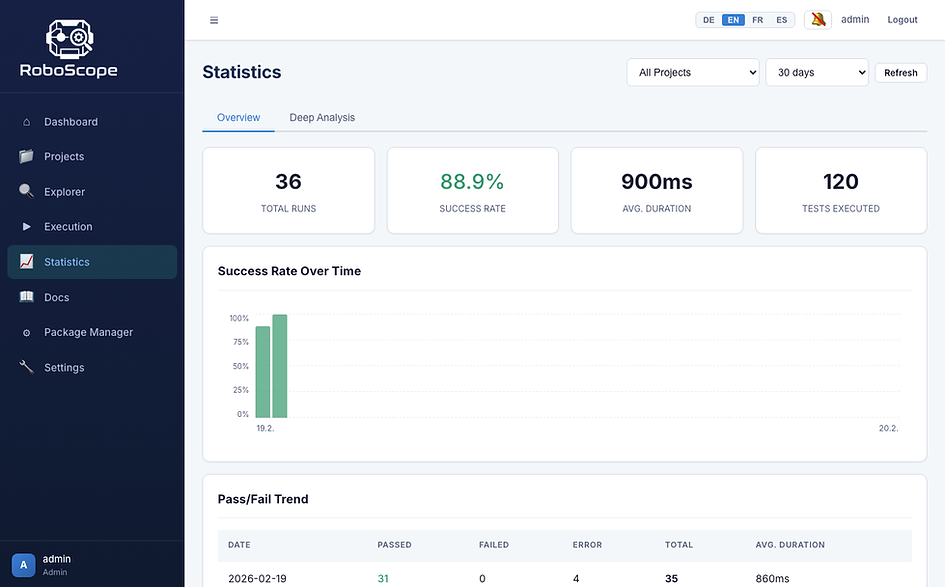

AI analysis — LLM-supported error analysis and .roboscope generation
15
KPIs in in-depth analysis
4
Languages (EN/DE/FR/ES)
555+
Backend-Tests
4
LLM providers
Ready in minutes
No cloud account required. Everything runs locally on your computer.
ZIP Download (Offline)
No Git, no Node.js, no internet connection required. Only Python 3.10+ needs to be installed.
1
Download & Unpack
Download and extract the ZIP file from GitHub Releases .
2
Install
Download and extract the ZIP file from GitHub Releases.
chmod +x install-mac-and-linux.sh
./install-mac-and-linux.sh
3
Start
./start-mac-and-linux.sh
# http://localhost:8145
Default login for all versions: admin@roboscope.local / admin123
Tech Stack
Modern, proven technology — no vendor lock-in
What's next?
Current roadmap — ideas und pull requests are welcome
🚧
Visual editor for .robot files
Represent the keyword-driven-structure as a form — for those who prefer working with forms instead of text files. Visually edit settings, variables, test cases, and keywords
📦
Offline archive analysis
Update and analyze old report-ZIPs — no Git-repository or running environment required. Evaluate historical data at any time.
✨
UI simplifications & accessibility
General Polish: loadings states, error states, empty states, ARIA labels, and keyboard navigation