

Warum RoboScope?
Die Lücke zwischen Robot Framework und dem Team schließen
Wer schon einmal versucht hat, ein Team ohne tiefe Kommandozeilen-Erfahrung für Robot Framework zu begeistern, kennt das Muster: Die Syntax ist verständlich, die Keyword-Idee leuchtet ein — aber dann kommt das Setup. Git klonen, virtuelle Umgebung anlegen, Abhängigkeiten installieren, Tests über das Terminal starten, Output-Dateien suchen und öffnen.
Spätestens hier steigen die Kolleg:innen aus, die eigentlich die besten Testideen hätten.
Robot Framework bringt eigentlich alles mit, um auch von weniger technisch versierten Nutzer:innen eingesetzt zu werden. Die Keyword-Driven-Architektur ist dafür wie geschaffen. Aber das Tooling drum herum setzt eben doch voraus, dass man sich im Terminal wohlfühlt.
RoboScope schließt genau diese Lücke: Eine Web-Oberfläche, über die das gesamte Team — von Fachtester:innen bis Product Owner — Tests verwalten, ausführen und auswerten kann, ohne das Terminal zu öffnen.
Für das ganze Team
QA-Engineers, Fachtester:innen und Product Owner können Tests direkt im Browser erstellen und ausführen — ohne Kommandozeile.
⚡
Schnelles Feedback
Tests starten, Live-Fortschritt verfolgen, Ergebnisse sofort sehen — ohne erst eine CI-Pipeline aufzusetzen.
🏠
Self-Hosted & Offline
Alles läuft auf deinem Rechner oder Server. Kein Cloud-Account, kein Vendor Lock-in, keine Daten an Dritte.
Alles, was du brauchst
Robot Framework Testmanagement in einer modernen Web-Oberfläche
🚀
Test Execution
Subprocess oder Docker, Live-WebSocket-Updates, Cron-Scheduling — Tests direkt aus dem Browser starten und beobachten.
📁
Projekt & Git Management
Repos klonen, Branches wechseln, automatisch synchronisieren. Integrierter Code-Explorer mit Robot-Parser und CodeMirror-Editor.
🐍
Environment Management
Python-Umgebungen mit uv erstellen und verwalten. Pakete installieren, Library-Checks, alles an einem Ort.
📊
Reports & Tiefenanalyse
output.xml automatisch parsen. Trends erkennen, Flaky Tests aufspüren, 15 KPIs in 5 Kategorien in der Tiefenanalyse.
🤖
KI-Fehleranalyse
LLM-gestützte Root-Cause-Analyse und .roboscope → .robot Generierung. OpenAI, Anthropic, OpenRouter oder Ollama.
🔒
Rollen & Zugriff
RBAC mit vier Stufen: Viewer, Runner, Editor, Admin. JWT-Authentifizierung, Multi-User ready.
RoboScope in Aktion
Klicke auf einen Tab, um die verschiedenen Bereiche zu sehen
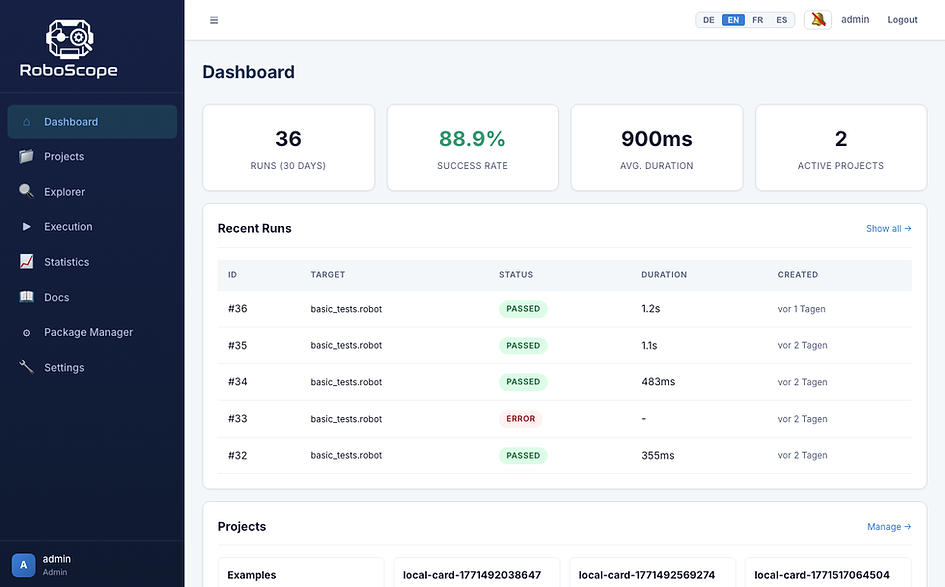


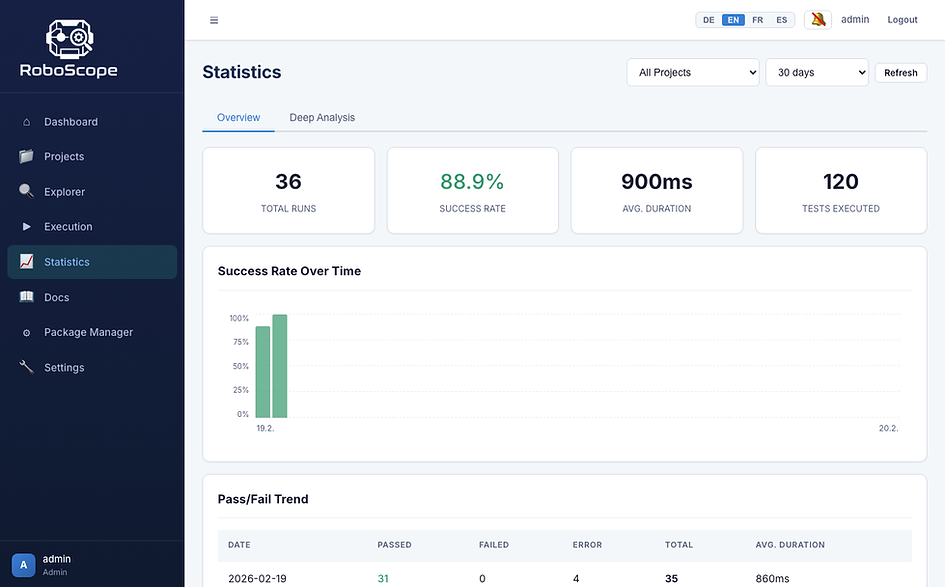

KI-Analyse — LLM-gestützte Fehleranalyse und .roboscope Generierung
15
KPIs in der Tiefenanalyse
4
Sprachen (EN/DE/FR/ES)
555+
Backend-Tests
4
LLM-Anbieter
In Minuten startklar
Kein Cloud-Account nötig. Alles läuft lokal auf deinem Rechner.
ZIP Download (Offline)
Kein Git, kein Node.js, kein Internet nötig. Nur Python 3.10+ muss installiert sein.
1
Download & Entpacken
ZIP von GitHub Releases herunterladen und entpacken.
2
Installieren
ZIP von GitHub Releases herunterladen und entpacken.
chmod +x install-mac-and-linux.sh
./install-mac-and-linux.sh
3
Starten
./start-mac-and-linux.sh
# http://localhost:8145
Default-Login bei allen Varianten: admin@roboscope.local / admin123
Tech Stack
Moderne, bewährte Technologien — kein Vendor Lock-in
Was kommt als Nächstes?
Aktuelle Roadmap — Ideen und Pull Requests sind willkommen
🚧
Visueller Editor für .robot-Dateien
Die Keyword-Driven-Struktur als Formular abbilden — für alle, die lieber in Formularen als in Textdateien arbeiten. Settings, Variables, Test Cases und Keywords visuell bearbeiten.
📦
Offline-Archiv-Analyse
Alte Report-ZIPs hochladen und analysieren — ohne Git-Repository oder laufende Umgebung. Historische Daten jederzeit auswerten.
✨
UI-Verfeinerungen & Accessibility
Allgemeine Polish-Runde: Ladeanimationen, Error-States, leere Zustände, ARIA-Labels und Keyboard-Navigation.